Practice app
Your practice room, in your pocket.
A metronome that keeps its time. A tuner that listens. Scales, chords, ear training and more, for eight instruments. You don’t need a studio or an account.
Coming soon to iPhone and iPad.
The film
See it in motion.
A walkthrough of the app.
Read the narration
This is the Practice app from B♭ Studio. It has a metronome, a tuner, and seven ways to practice. You don’t need a studio or an account.
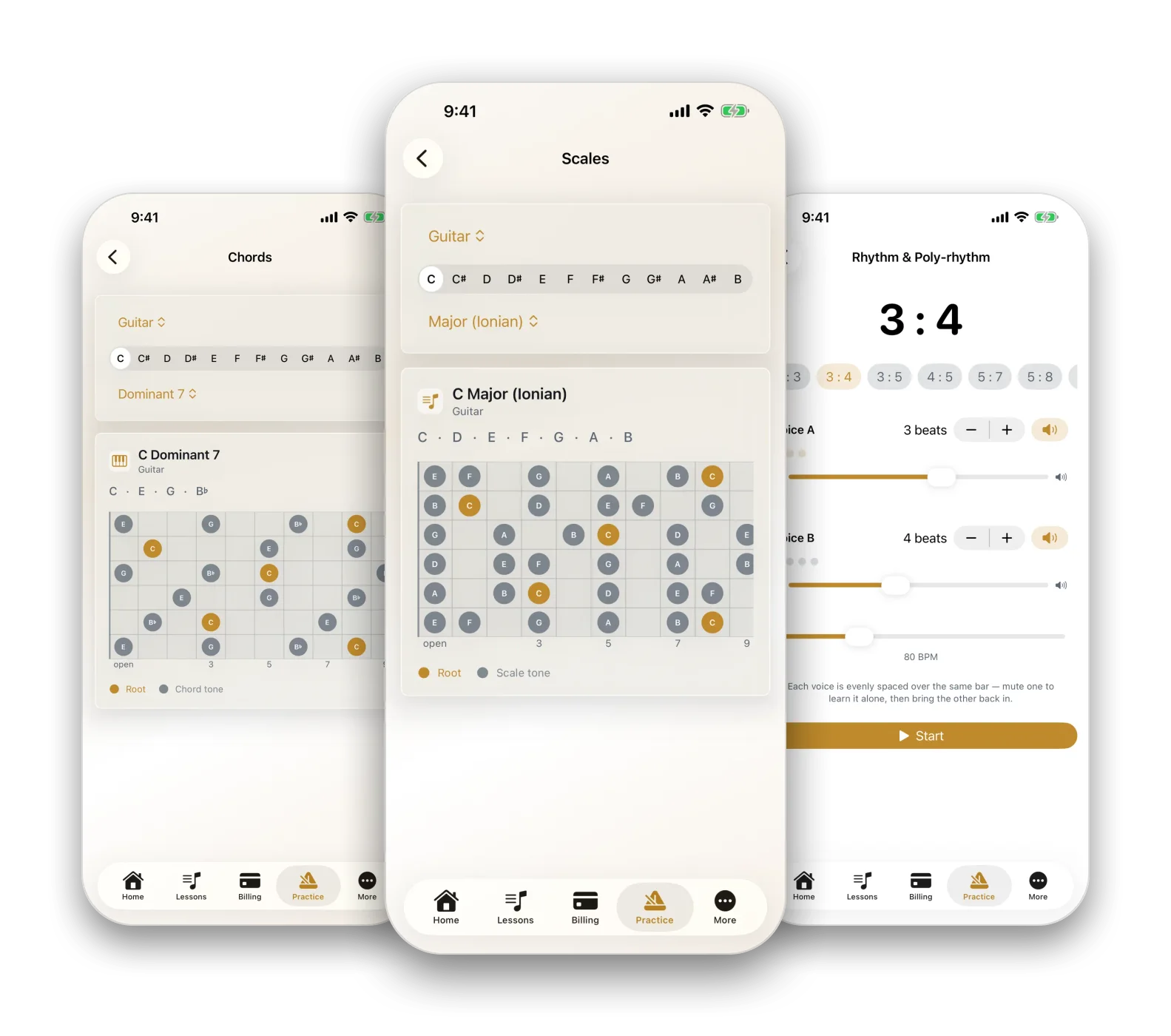
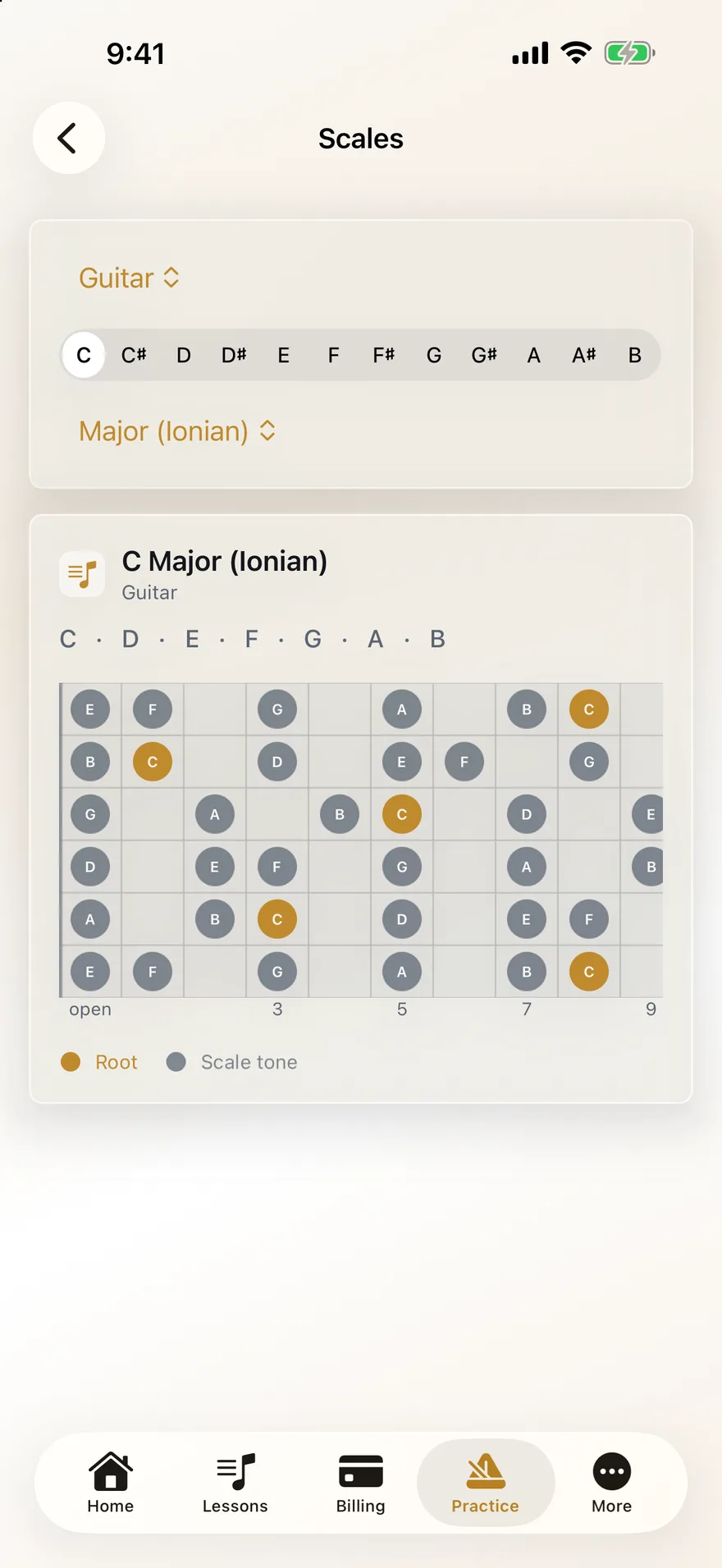
Scales. There are fifteen, in any key. Here is C major on a guitar fretboard. Piano shows keys, and the other instruments get a list of notes.
Chords. There are sixteen kinds, from triads to altered dominants, spelled the way they are written. Here is a C dominant seventh on the guitar.
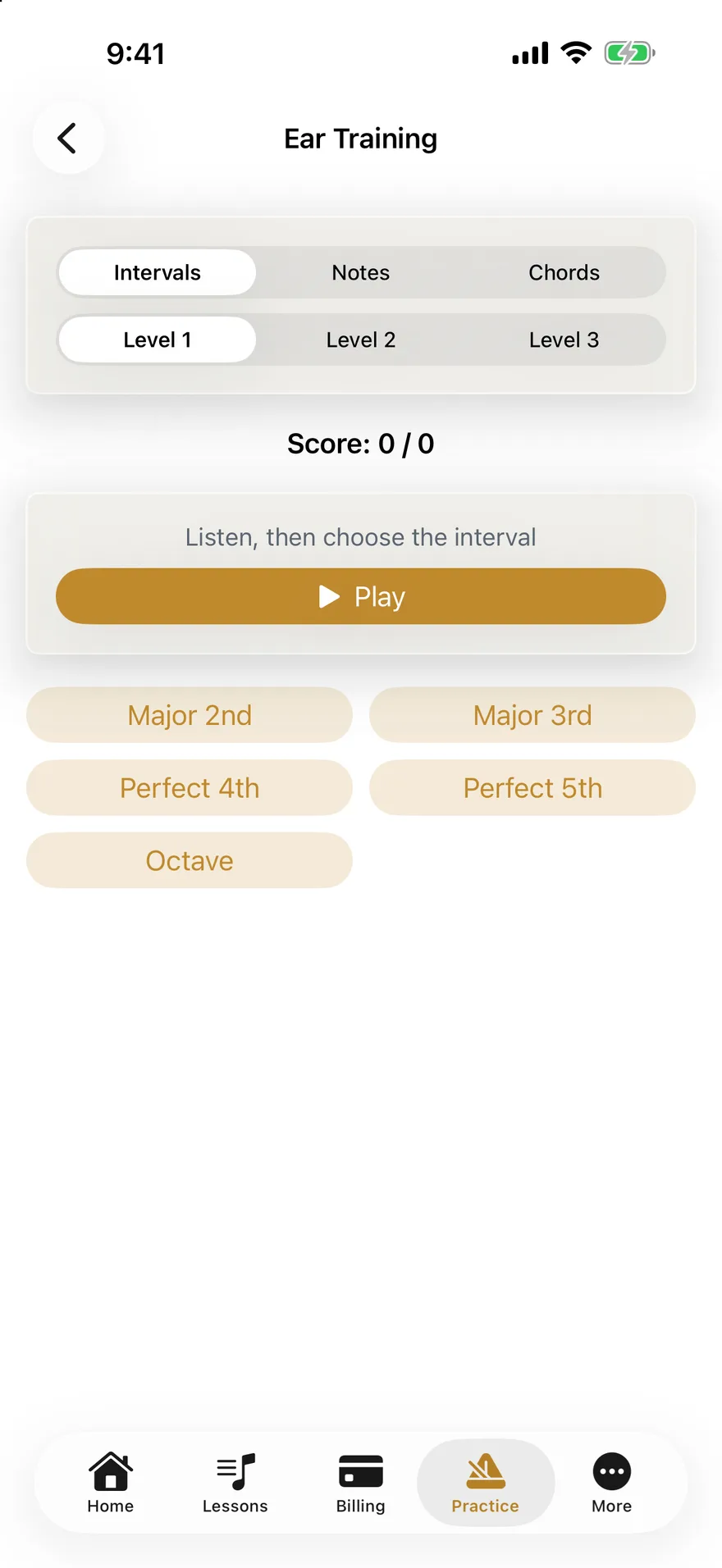
Ear training. Hear an interval, a note or a chord, and name it. There are three levels, and the app keeps score.
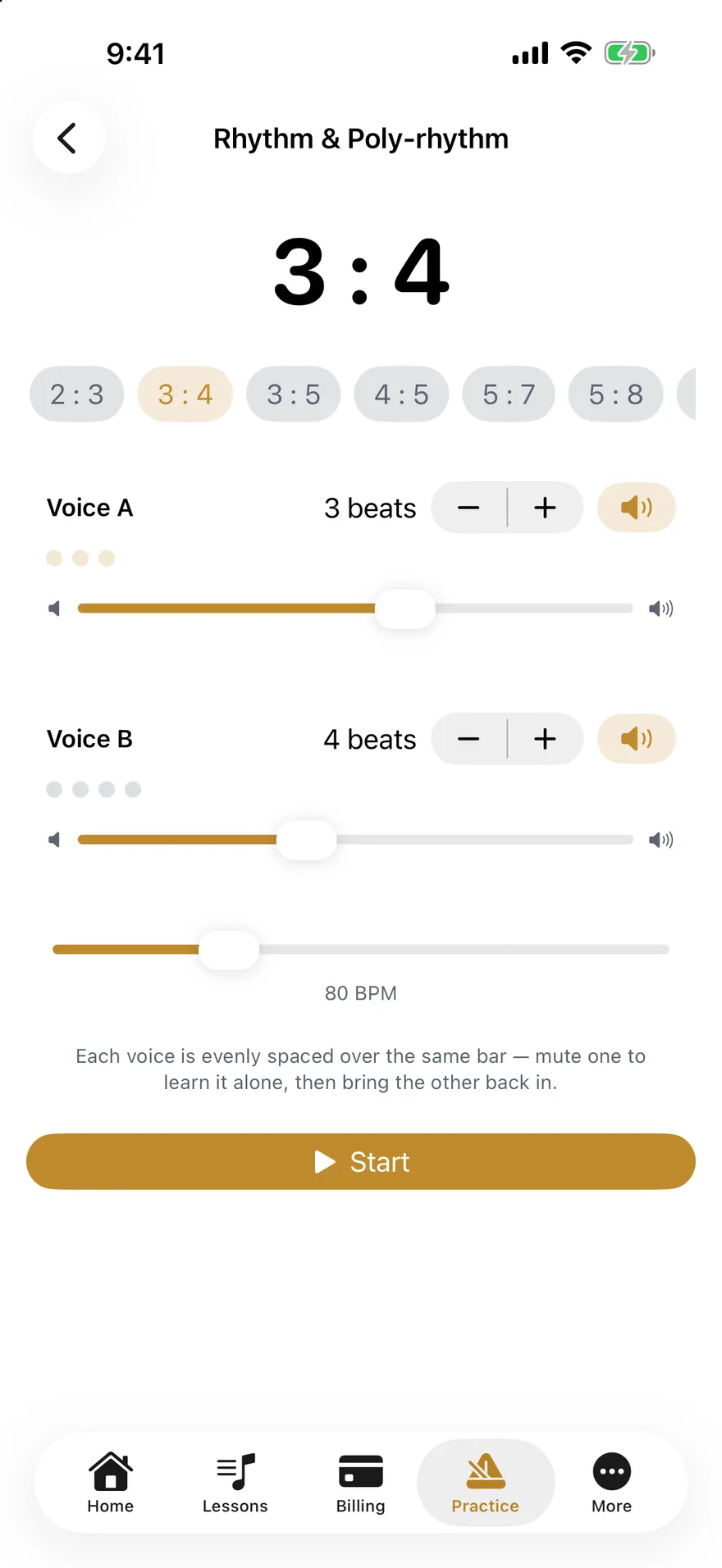
Rhythm and poly-rhythm. Two click voices share one bar. Here it is three against four. Mute one to learn the other by itself.
Rudiments. The metronome sets the pace, and you play one hand per click. Mark each try as clean or missed. Clean tries move the tempo up.
Sight reading. Name the note on the staff, one note at a time, or as a short melody. The clef follows the instrument you pick.
The glossary explains terms from theory and history in plain language. You can also ask Siri to look one up.
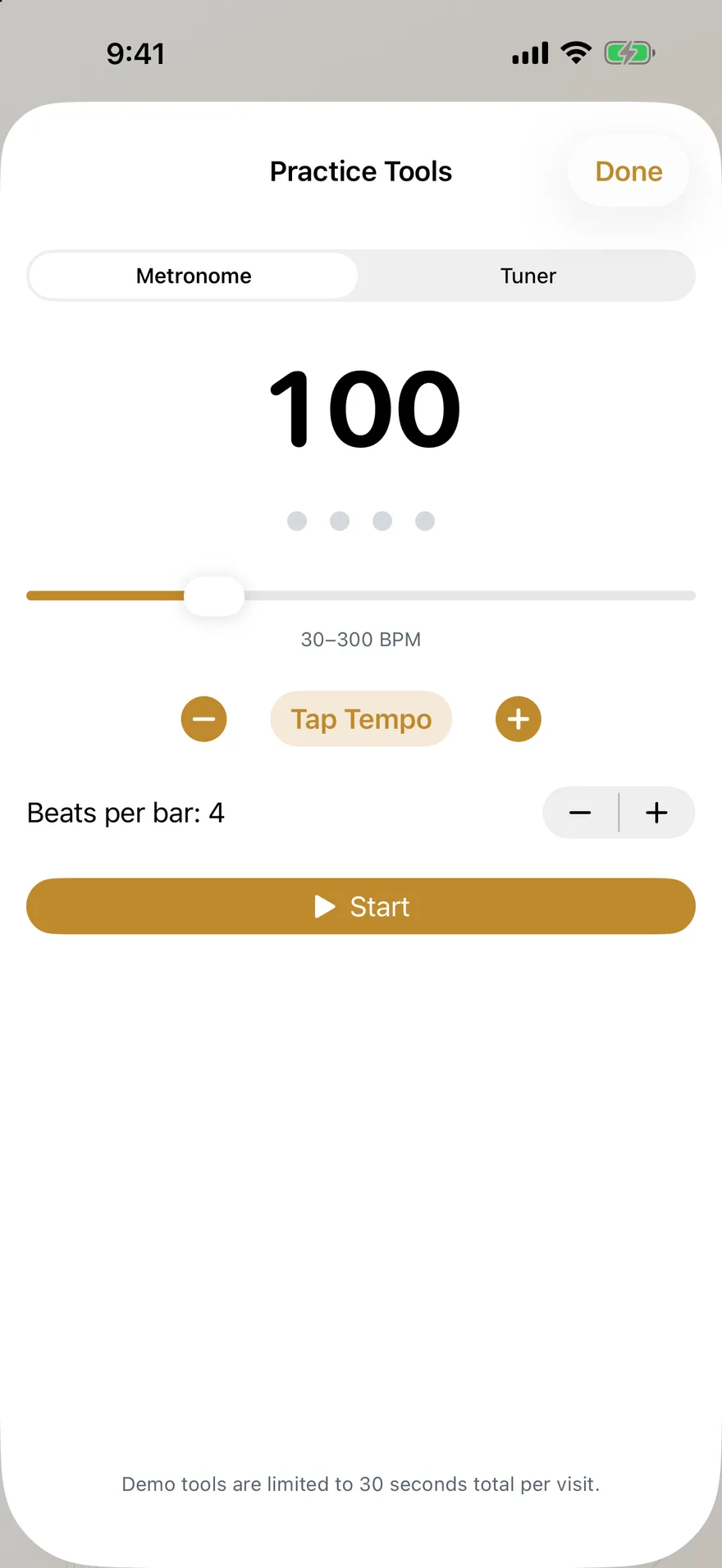
The metronome runs from 30 to 300 beats a minute, with tap tempo.
The tuner listens through the microphone and shows how sharp or flat you are. That happens on the phone, and nothing is recorded.
The Practice subscription will be sold through the App Store. Families at a studio that uses B♭ Studio get all of it at no charge. The app is coming soon.
Keeps time. Hears you.
The metronome runs from 30 to 300 beats a minute, with tap tempo. It clicks on the audio clock instead of a timer, so the beat on the screen and the click you hear stay together.
The tuner listens through the microphone and shows the note and how many cents sharp or flat you are. Or it plays a tone for you to tune to. Concert A starts at 440 Hz, and you can move it anywhere from 430 to 450.
Every scale. Any key.
Fifteen scales and sixteen chords, in all twelve keys. The seven modes, major and minor pentatonic, blues, whole tone, chromatic, both diminished scales, augmented. Triads through altered dominants.
Each one is drawn on a fretboard for guitar and bass, on keys for piano, and as a list of notes for violin, cello, flute, clarinet and voice. Notes are in concert pitch, so a clarinet’s B♭ transposition isn’t applied.
Train the ear. Then the eye.
Hear an interval, a note or a chord and name it. There are three levels, and a running score so you can see yourself getting better.
Then sight reading: name the note on the staff, one at a time or as a short melody. The clef follows the instrument you pick, and the melodies have levels of their own.
Feel three against four.
Two click voices share one bar. Mute one to learn the other by itself, then bring it back in.
For drummers, three rudiments: single stroke roll, double stroke roll and single paradiddle. The metronome sets the pace and you play one hand per click. Play it clean and the tempo climbs, from 60 up to 150.
Instruments
Eight of them.
Guitar, bass, piano, violin, cello, flute, clarinet and voice.
Pick yours and the scales, chords and sight reading follow it. Guitar and bass get a fretboard, piano gets keys, and the others get a list of notes with the right clef. Plus a glossary of fourteen terms from theory and history, in plain language, and you can ask Siri to look one up.
Private
No account. The log stays on your phone.
Practice Only is a way in with nothing to sign up for.
The app keeps a practice log: a day streak, the days you logged and your total minutes. Time with the metronome, the tuner or any other tool running is added to it for you. The log lives on your phone. We don’t have a copy, so deleting the app deletes it.
When the app opens, it asks our server for the sign-in screen. That request carries some details about your phone, such as its model and system version. It carries nothing from your practice. The privacy policy lists exactly what.
How you get it.
A monthly subscription, billed by Apple. Pricing is coming soon.
- You subscribe in the app, through the App Store, with your Apple ID. Apple bills you. We never see your card or your Apple ID.
- Cancel at any time in your Apple ID settings. Apple handles cancellations and refund requests.
- The subscription covers everything on this page, the metronome and tuner included.
- Families at a studio that uses B♭ Studio don’t pay. They get all of this in the family app. The plans page has the studio side.
Look around first
Try the demo.
The app has one on its sign-in screen, called Try the Demo.
It opens a sample family with invented names. Once you are in it, nothing goes to a server. You can browse scales, chords, sight reading and the glossary. The tools that make sound, which are the metronome, the tuner, ear training and the rhythm trainers, stop after 30 seconds of use in total.
Common questions.
- Do I need an account?
- No. On the sign-in screen, tap Practice Only. There is no email to enter, no password and no studio to choose. You will need an Apple ID to subscribe, and Apple handles that.
- Does the tuner record me?
- No. The microphone is on only while the tuner is open, to work out which note you are playing. That happens on the phone. The audio is not recorded, saved or sent anywhere.
- Do I pay if my teacher’s studio uses B♭ Studio?
- No. Families at a studio that uses B♭ Studio get all of this in the family app at no charge. The subscription is for people who have no studio on B♭ Studio.
- Can I cancel?
- Yes, at any time, in your Apple ID settings under Subscriptions. Apple handles cancellations and refund requests.
- Does it sync between my phone and my iPad?
- The subscription does, through your Apple ID. Restore Purchase brings it back on a new device. The practice log does not sync. It stays on the device where you made it, and we have no copy.
- What do I need to run it?
- An iPhone or iPad with iOS or iPadOS 26.5 or later.
- When can I get it?
- Coming soon to the App Store. The app is built. Join the waitlist and we will tell you the day it arrives.
Coming soon.
B♭ Studio runs a working music studio today. If you run one too, join the waitlist and we’ll be in touch when there is something to show you.
Join the waitlist